Features
Everything Tracked does.
Every feature, grouped by area, one line each. All of it runs in the browser; the demo opens pre-filled and has everything that does not need an account.
14 features
Transactions
A ledger built for the keyboard, with a search that reads like a sentence.
- Every kind of entryExpenses, income, transfers and balance adjustments; Alt+1…5 open expense, income, transfer, quick add and import from any page.
- Keyboard-first editorLetter shortcuts pick accounts and categories, Ctrl/Cmd+Enter saves, Esc cancels.
- Quick addSeveral entries in one table: date, amount, currency, description, merchant, category and account, with Tab moving across; one press adds them all.
- Statement importPDF (text layer), CSV, TSV, Excel, text exports, and screenshots or photos read with on-device OCR; nothing is uploaded, and rows are matched to existing entries. The demo includes a sample statement to import.
- Search that shows what it understoodType it the way you would say it:
groceries last month,netflix or spotify,restaurants >50,coffee this week,rent 2026,>100 october. Dates in any form, categories, merchants, amounts, currencies, labels, accounts and status (recurring,imported), withor,and,notand parentheses; every term becomes a chip. - Recurring paymentsDaily, weekly, monthly (a date, the last day or the nth weekday) or yearly; pause, resume, end, edit the series or one occurrence; a card-repayment rule that pays the card's balance.
- AmortisationSpread a payment over days, weeks, months or years (equal, by day, front-loaded or custom, with a residual) and read reports on a cash or accrual basis.
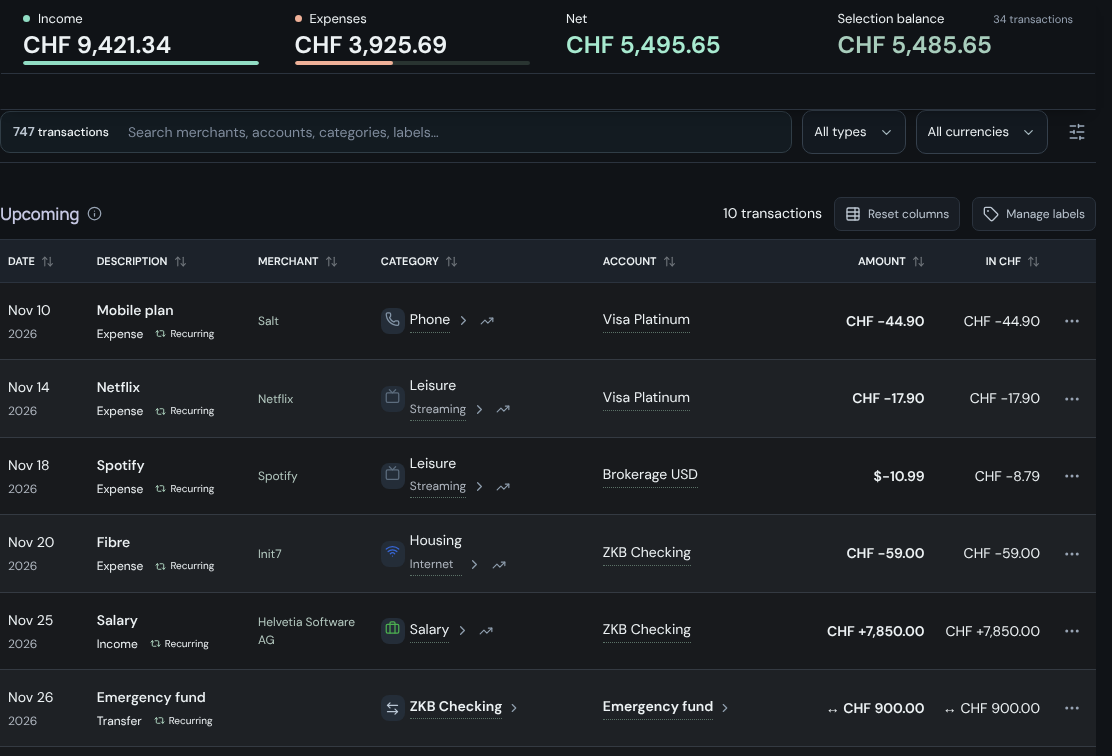
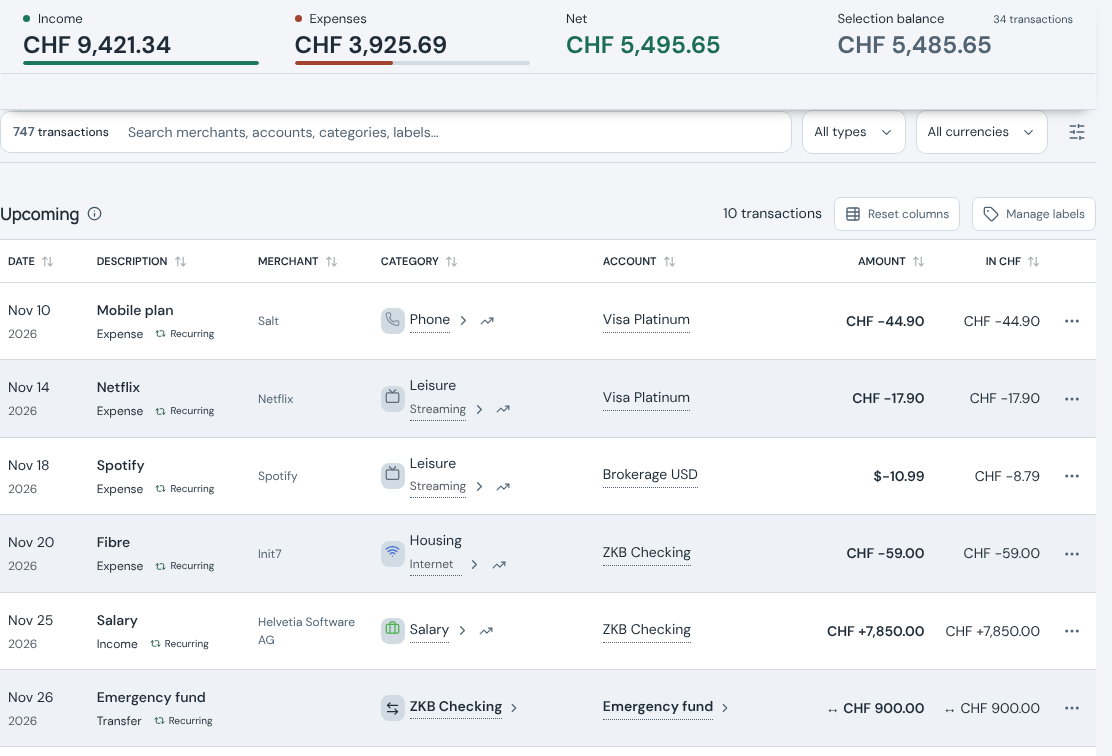
- UpcomingFuture-dated entries in their own section, with a preview of next month.
- Labels, hidden entries and merchantsMerchants come with suggestions and their own analytics.
- ReceiptsUp to ten PDFs or images per entry; take the photos with your phone by scanning a QR code.
- Transfers across currenciesRecord the amount received; mark a transfer in transit until it arrives.
- One continuous listStays fast past ten thousand entries, with sortable, resizable columns.
- Undo and redoUp to 1,000 actions; browse the history by day, filter it, and restore a point in time.
- Swiss payment QRA payment QR code (SPC) generated on the device from an account's IBAN.
5 features
Speed
Built for the keyboard, and the screen does not wait for the server.
- 1.25sAn expense, start to ledger
- 66msOpen the expense editor
- 62msSave and show the row
- 90msSearch on four letters
1.25 s is the running time of the keyboard clip, typed at 62 ms between keystrokes. The latencies were measured on 7 November 2026 in a headless test container: production build, headless Chromium, demo workspace with 751 transactions and 8 accounts.
- An expense in thirteen keysAlt+1 opens the editor, a number picks the account, a letter the category, then the description, and Ctrl+Enter saves.
- Pages that open quicklyEvery page opens in about 50 ms on a normal computer, and within 186 ms on an older laptop.From the sidebar click to the page content on screen plus two animation frames, median of seven, production build, demo workspace (8 November 2026); older laptop: the CPU slowed four times. For scale, an F1 driver reacts to the start lights in about 180 ms.
- No waiting for the serverThe screen updates before the database answers; saves run in the background and retry after a temporary failure.
- Small downloadsEach page loads as its own chunk; the entry script is about 142 KB gzipped.
- Large ledgers stay quickBalances are computed in one pass, and the ledger is one continuous list that stays fast past 10,000 entries.Measured in the September 2026 audit with 10,000 synthetic transactions on a desktop CPU: Transactions ready in 131 ms, four typed search letters in 112 ms (production build, localhost, median of three).
7 features
Accounts
Every account you hold, in its own currency, adding up to one net wealth.
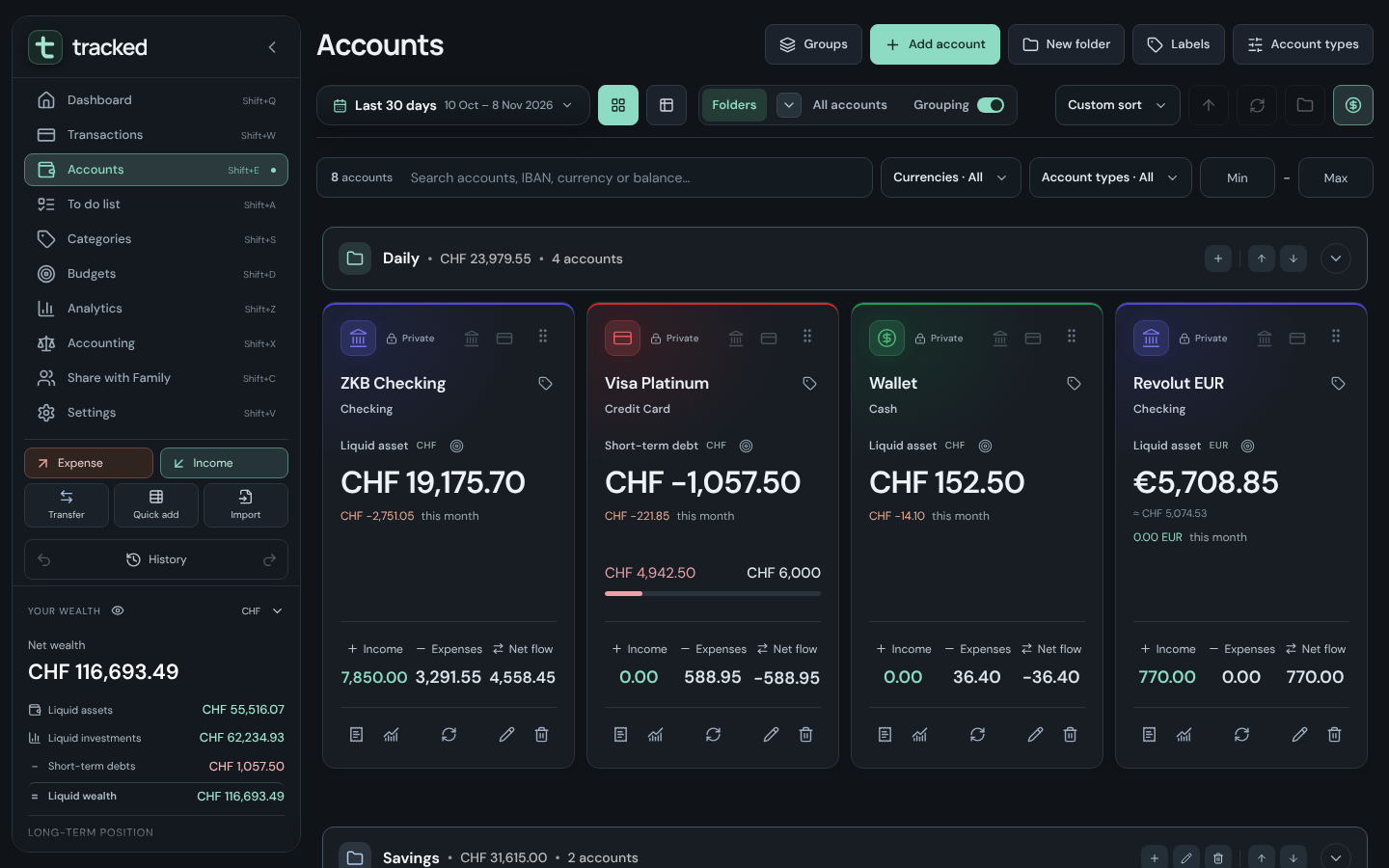
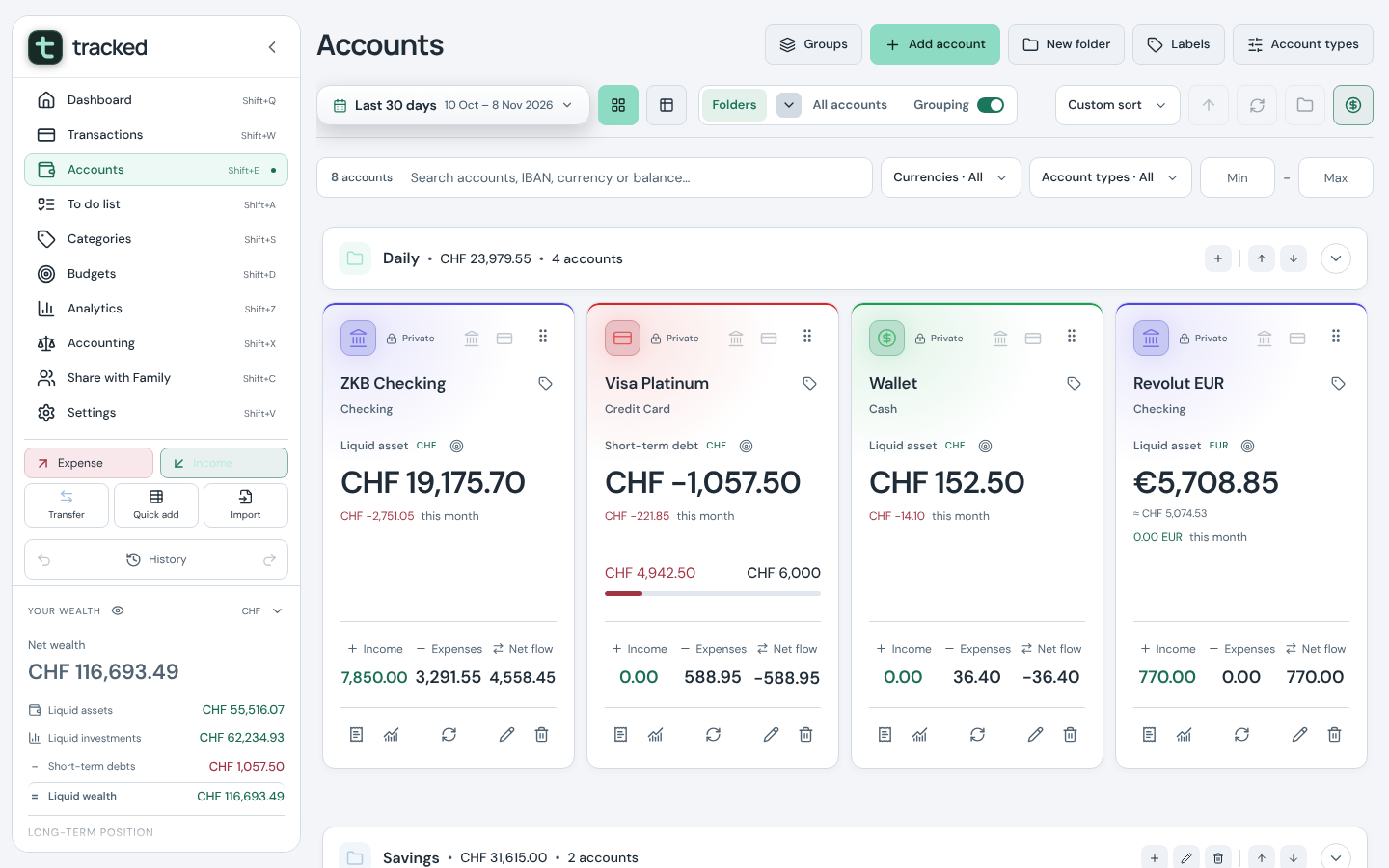
- Account typesChecking, savings, credit card, investment, cash, asset, loan, and types of your own.
- Organised your wayFolders, virtual account groups, drag-and-drop order, labels and colours; Cards and Grid views.
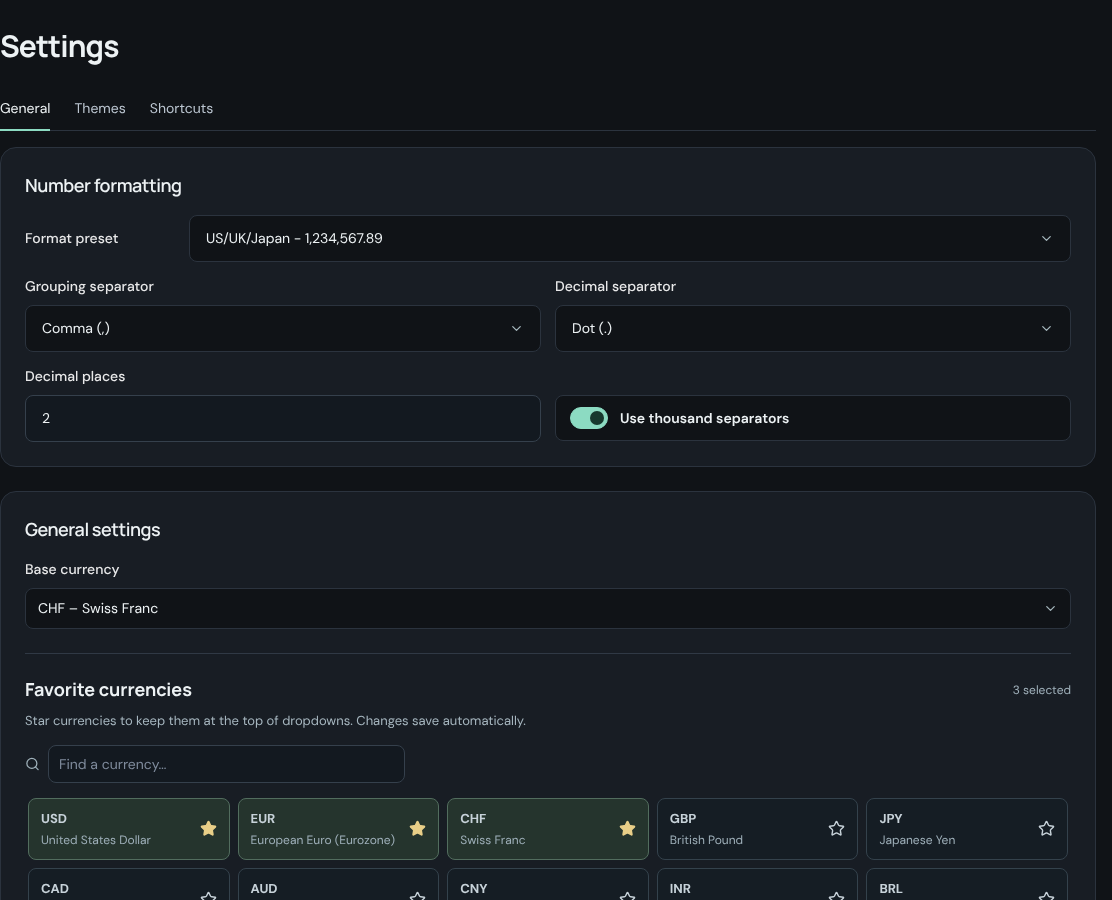
- Any currencySwitch the reporting currency and everything converts; favourite currencies come first.
- Net wealth in the sidebarLiquid assets, liquid investments, short-term debts and the long-term position, with the accounts behind each figure.
- Account searchThe same grammar:
usd,savings,>10000, labels. - Details in placeTargets and credit limits edited in place; IBAN and bank details with copy buttons; an encrypted vault for card details.
- Balances you can trustAdjustments that reconcile with the bank, balance-only accounts, and a forecast of each balance from scheduled entries.
6 features
Accounting
Real statements for a household, each one compared with the previous period.
- Income statement"Of every CHF 100 earned", statement lines you can edit, the per-100 share, previous period and change, a 12-month net income and savings rate chart, drill-down into the entries behind any amount, and one button to fold everything.
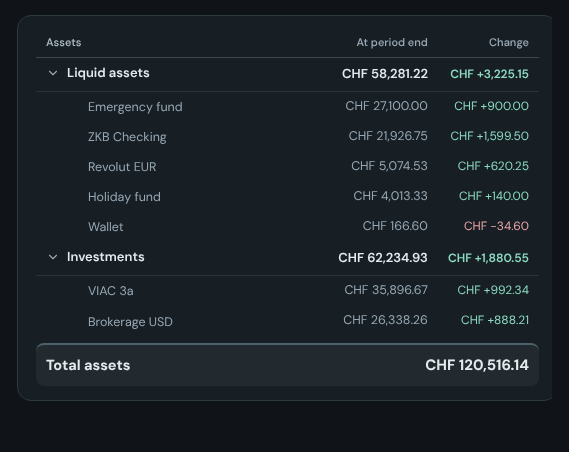
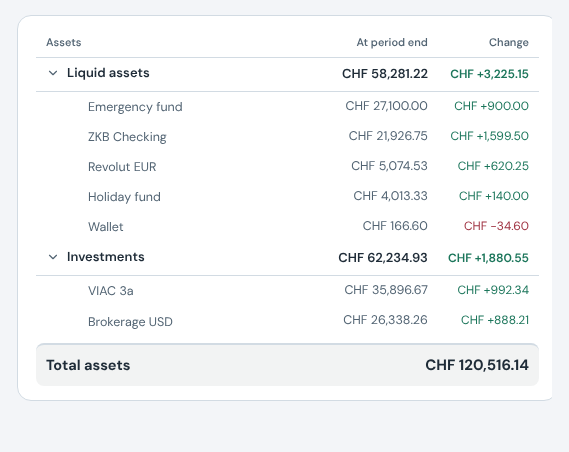
- Balance sheetEquity ratio, debt-to-assets and runway; prepaid and deferred amounts on the accrual basis.
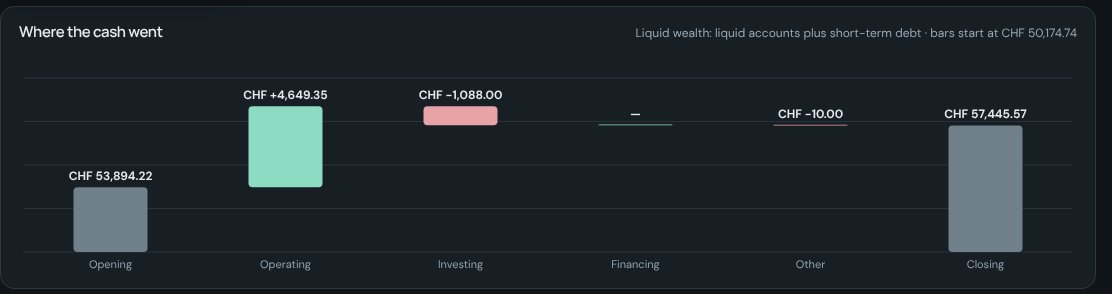
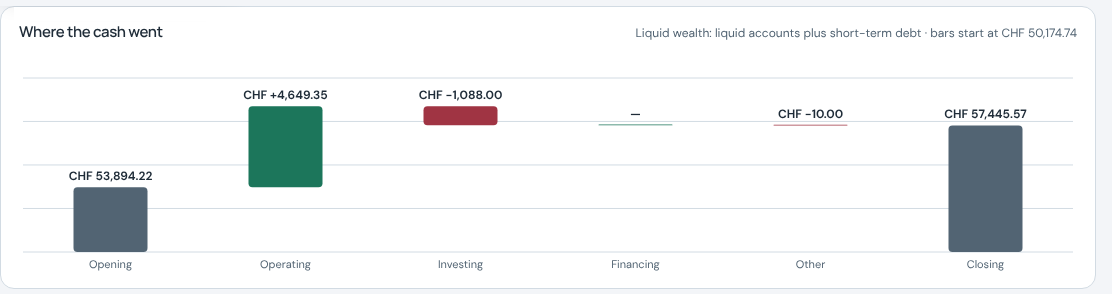
- Cash flowA waterfall from opening to closing liquid wealth across operating, investing and financing.
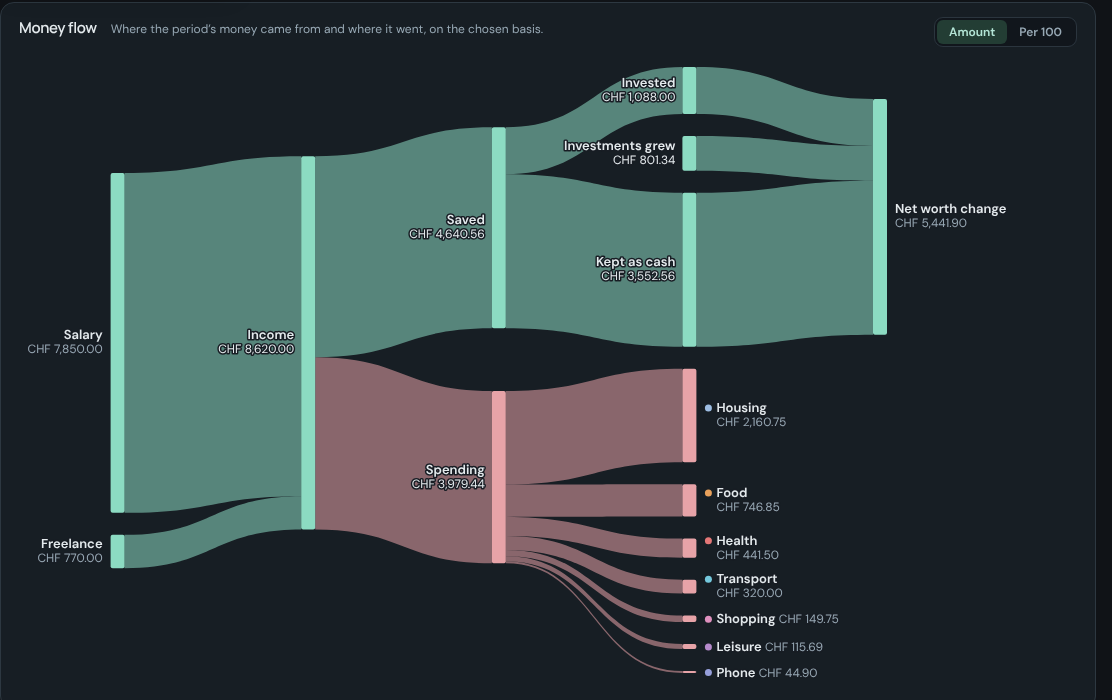
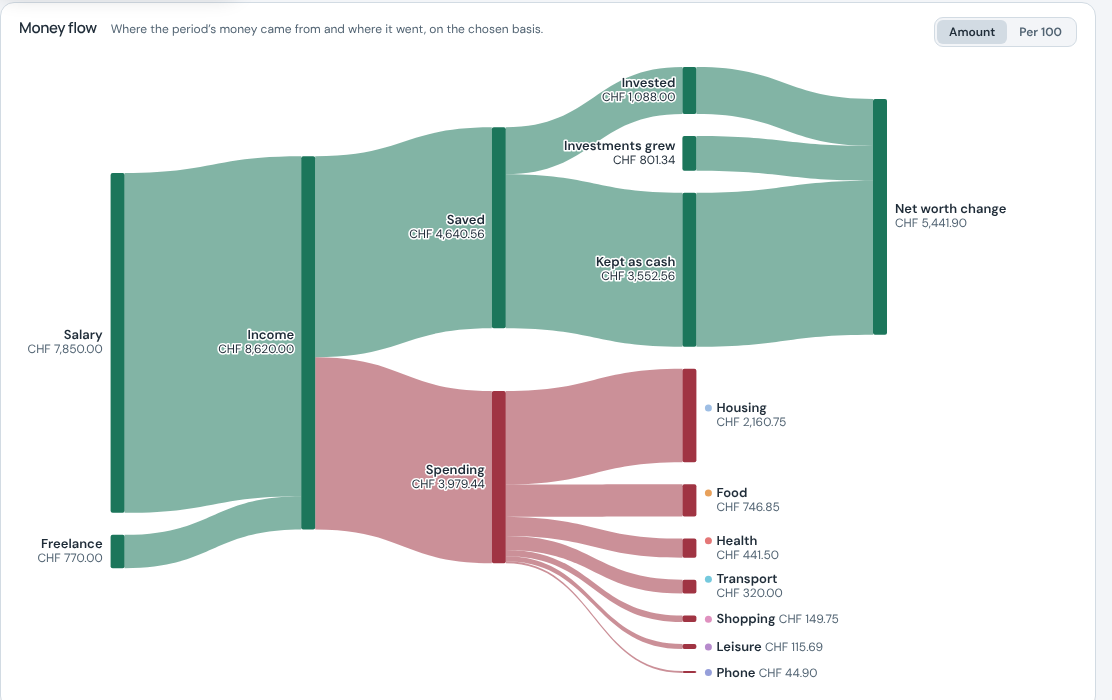
- Money flowThe Sankey of the period, in amounts or Per 100; pin any node to list what it is made of.
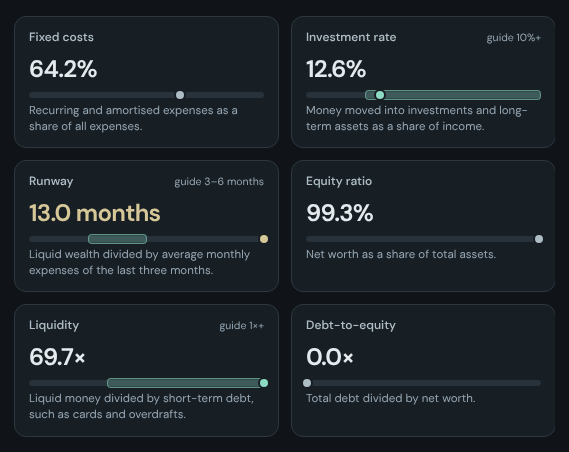
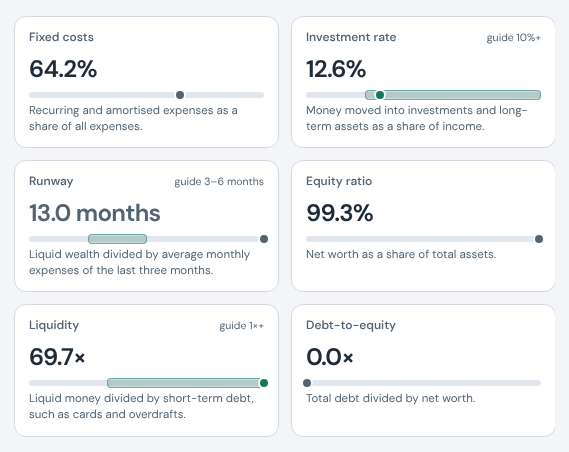
- RatiosSavings rate, housing share, fixed costs, investment rate, debt-to-income, return on assets and more, each with a guide band and its working shown step by step.
- Comparisons and basisEvery statement compares with the previous period, on a cash or accrual basis.
4 features
Analytics, budgets, categories
Where the money goes over time, and how much of it you planned.
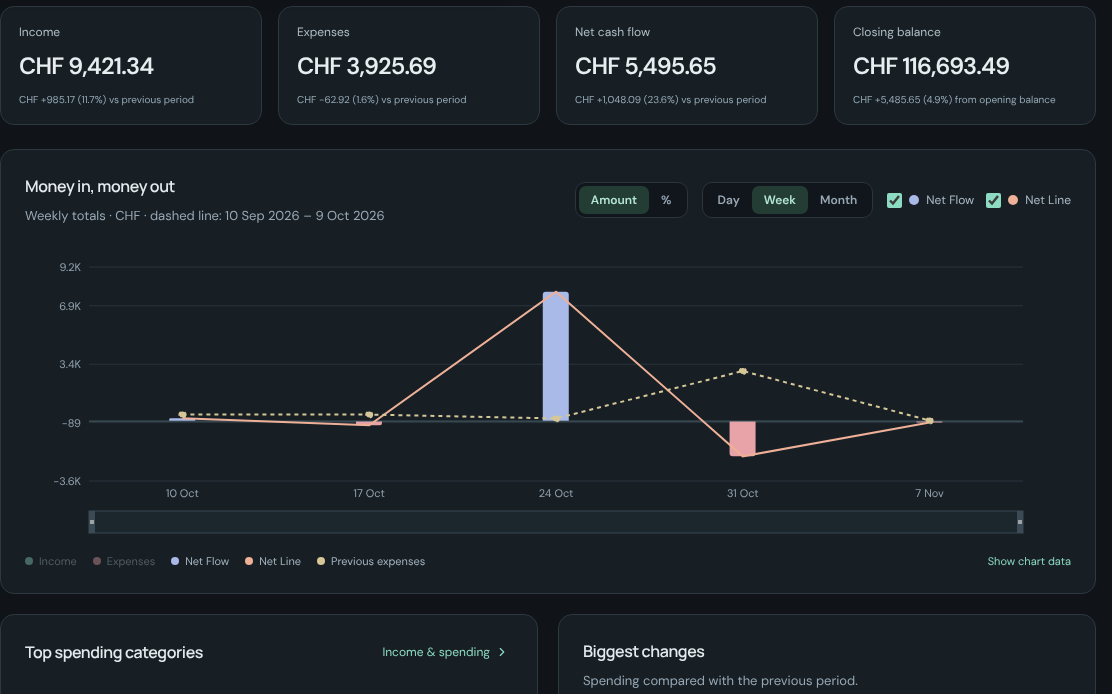
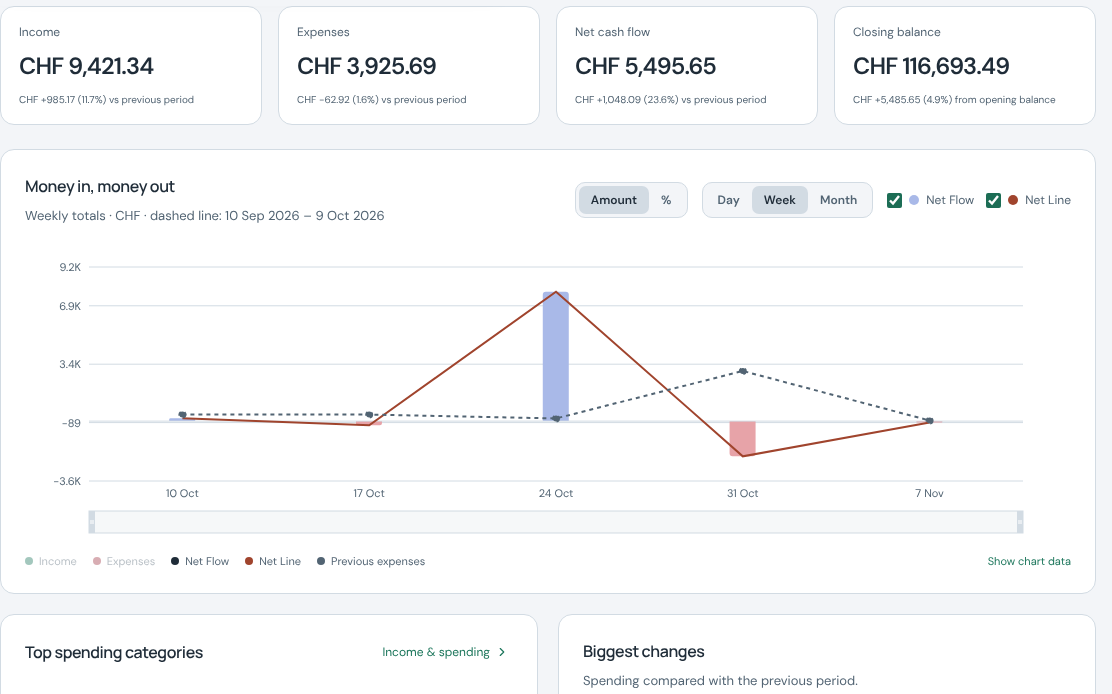
- AnalyticsOverview, income and spending, category trends (compare categories, 7-day average, any horizon), merchants, wealth history, and a forecast 30 to 365 days ahead.
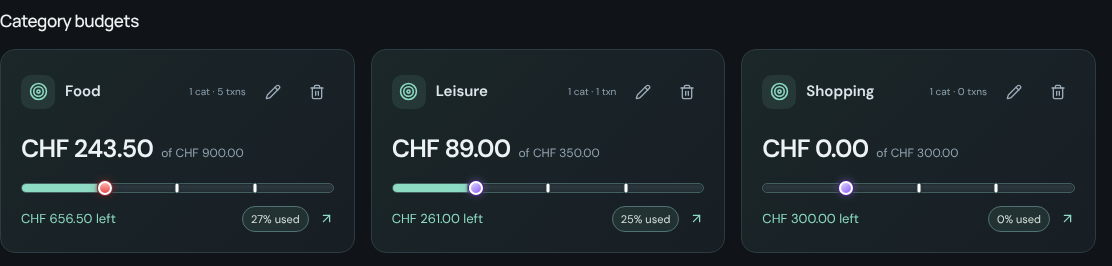
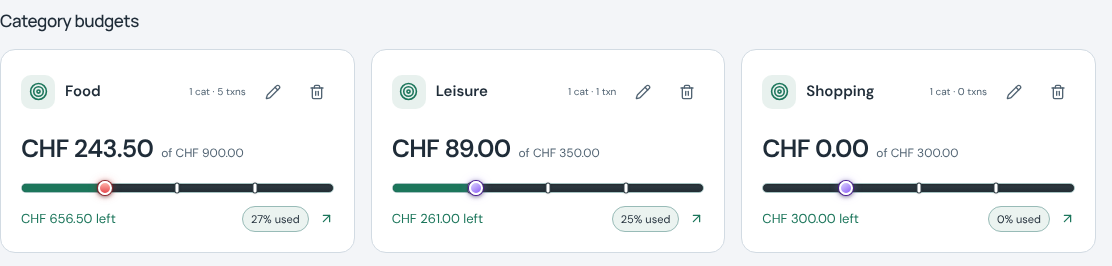
- BudgetsMonthly, per category or overall, with history and future allowances; the dashboard shows the three that matter most.
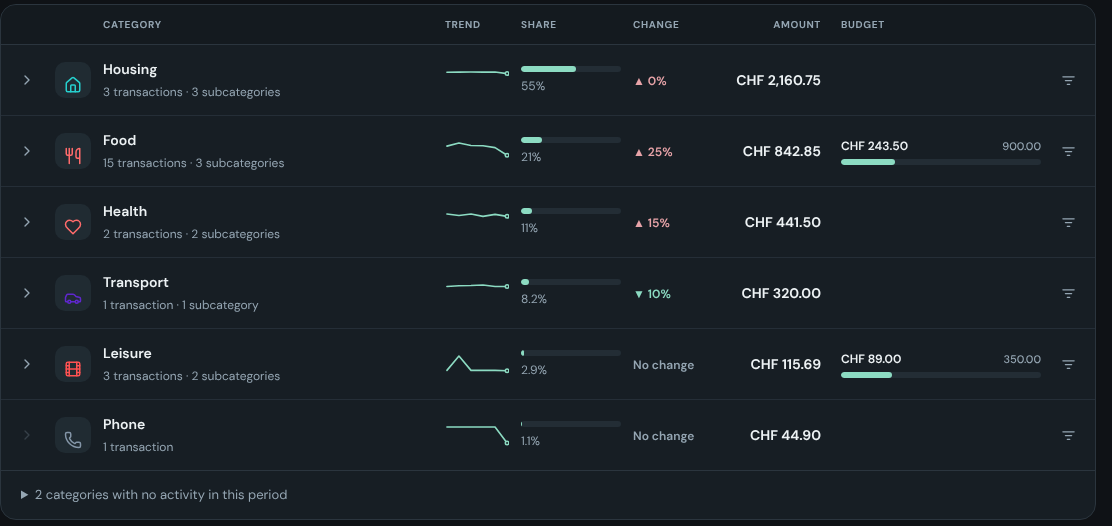
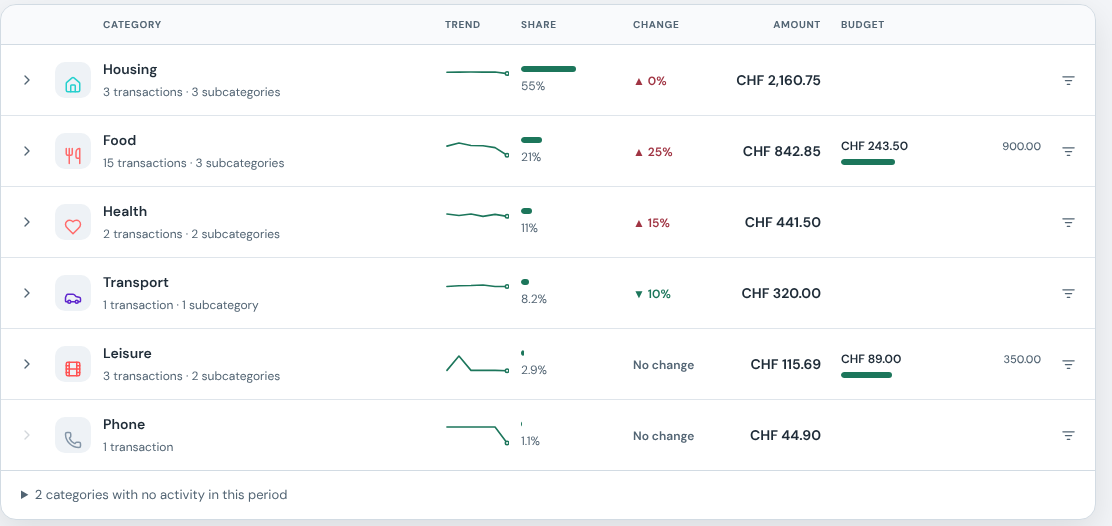
- CategoriesSubcategories, icons, colours, trends, share of spending and change against the previous period.
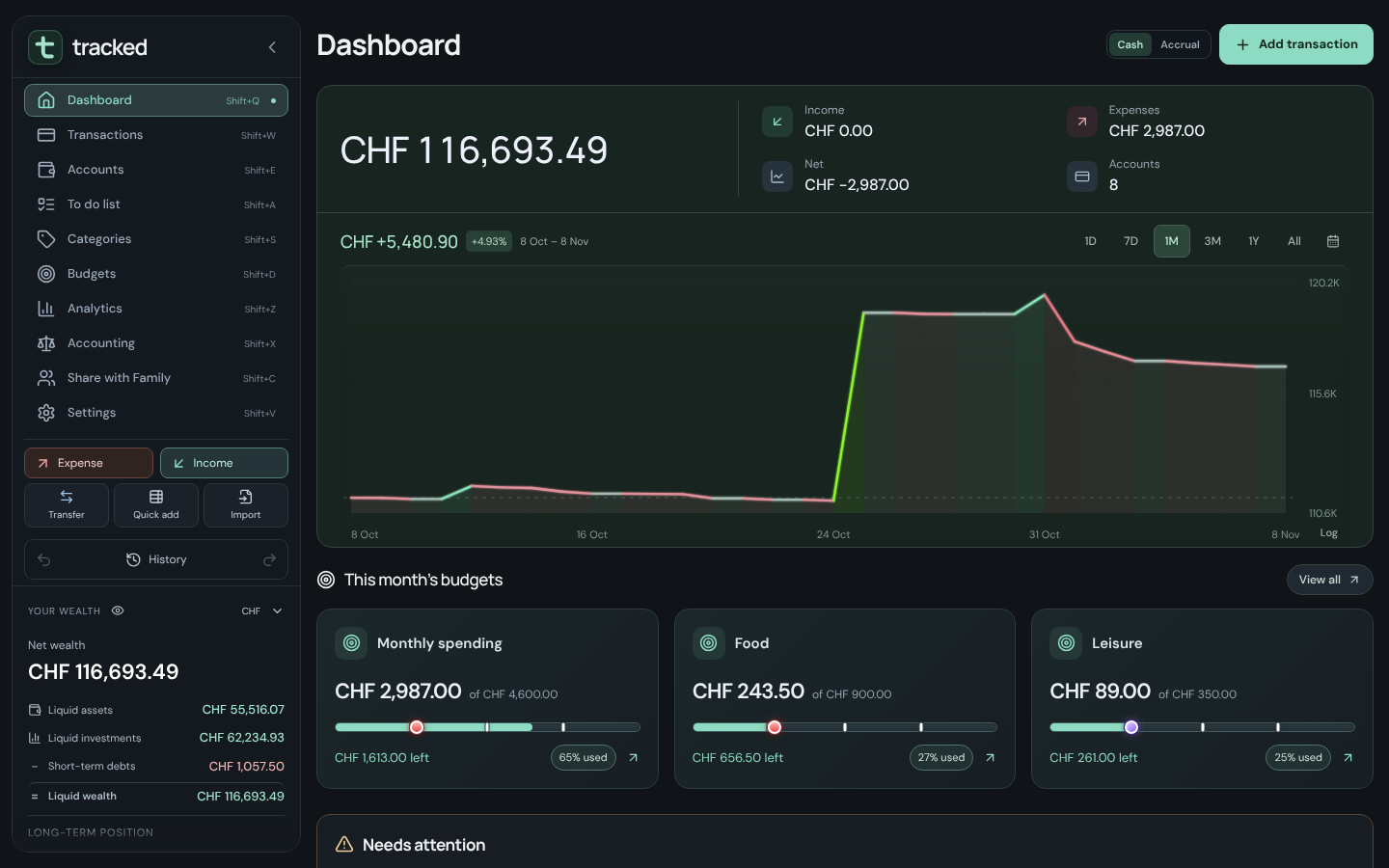
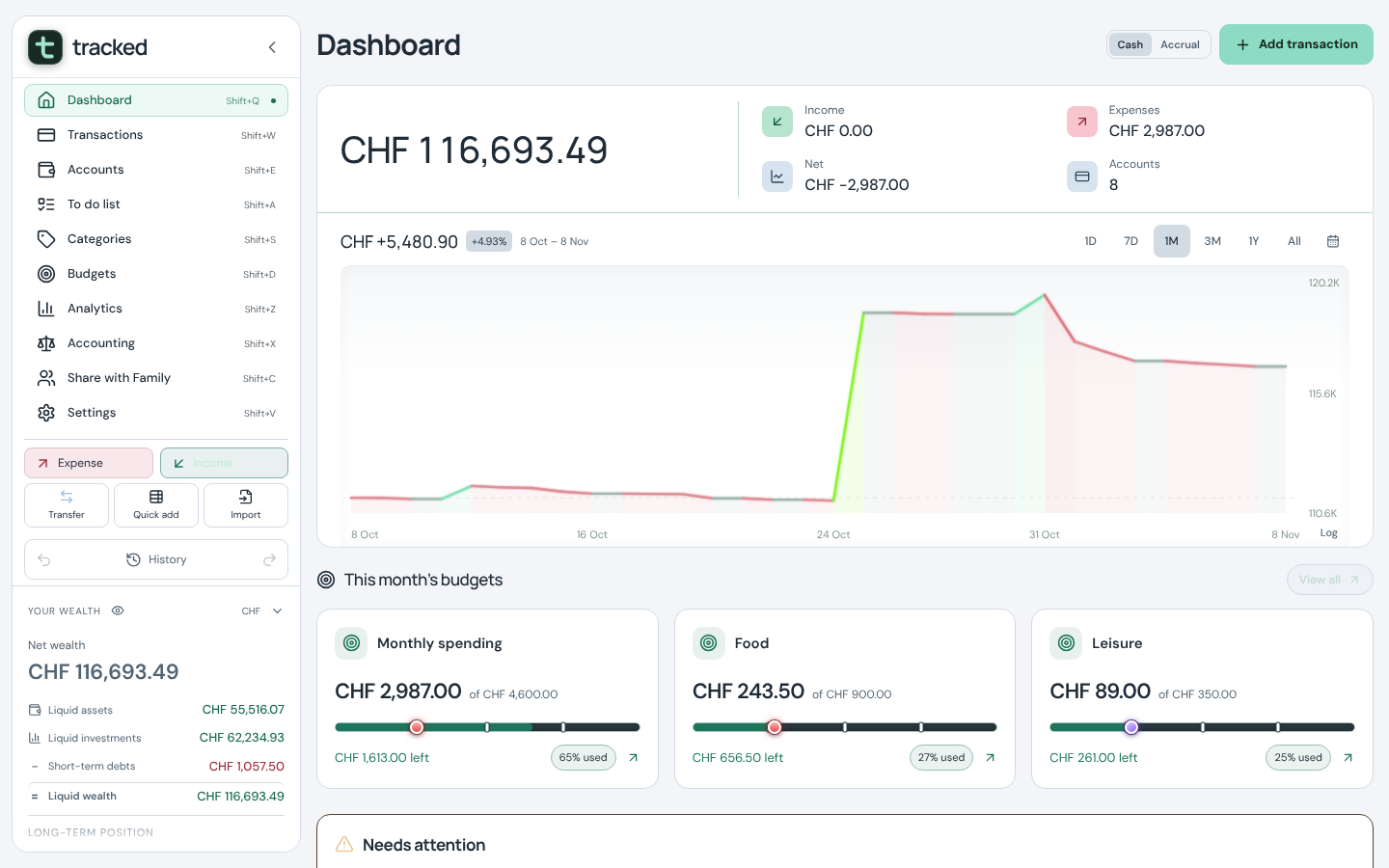
- DashboardA wealth chart from one day to all time (linear or log), the month's income, expenses and net, budgets, recent entries and an account overview.
5 features
To do list
Tasks and a calendar next to the money they are about.
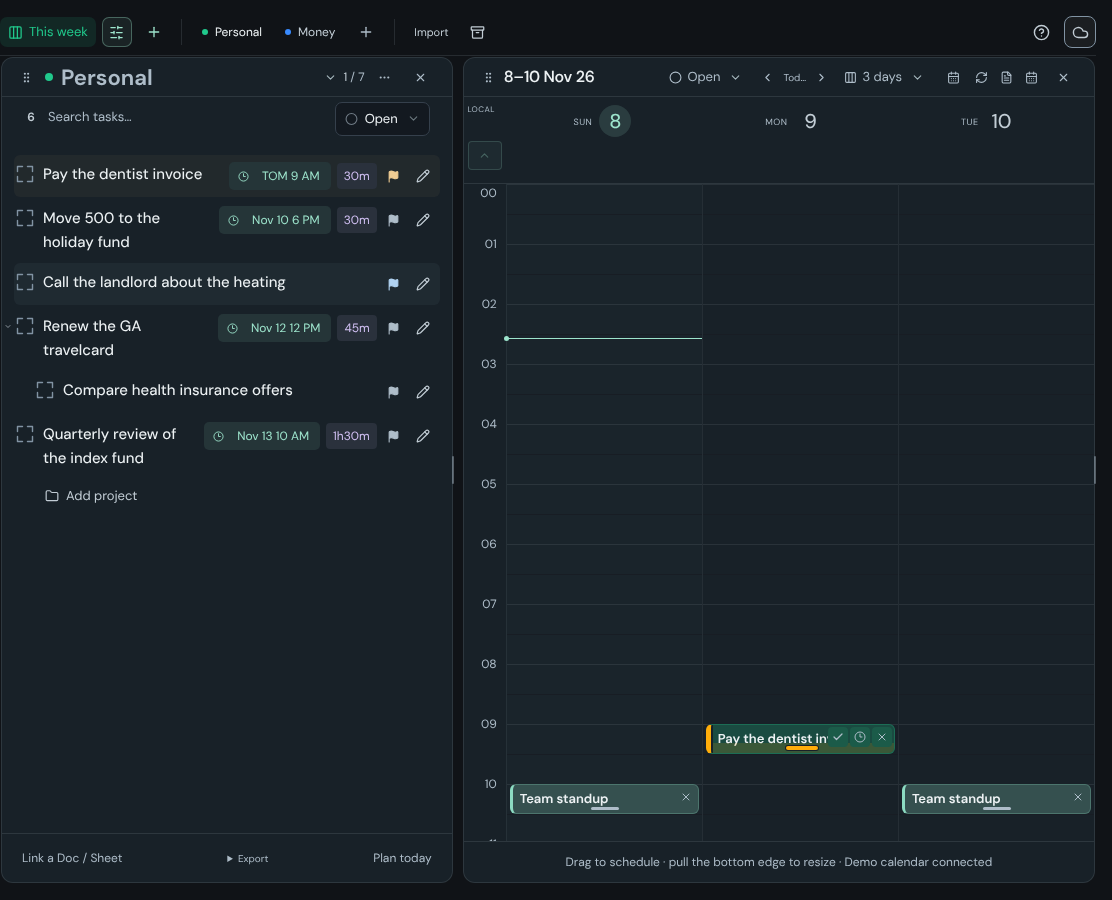
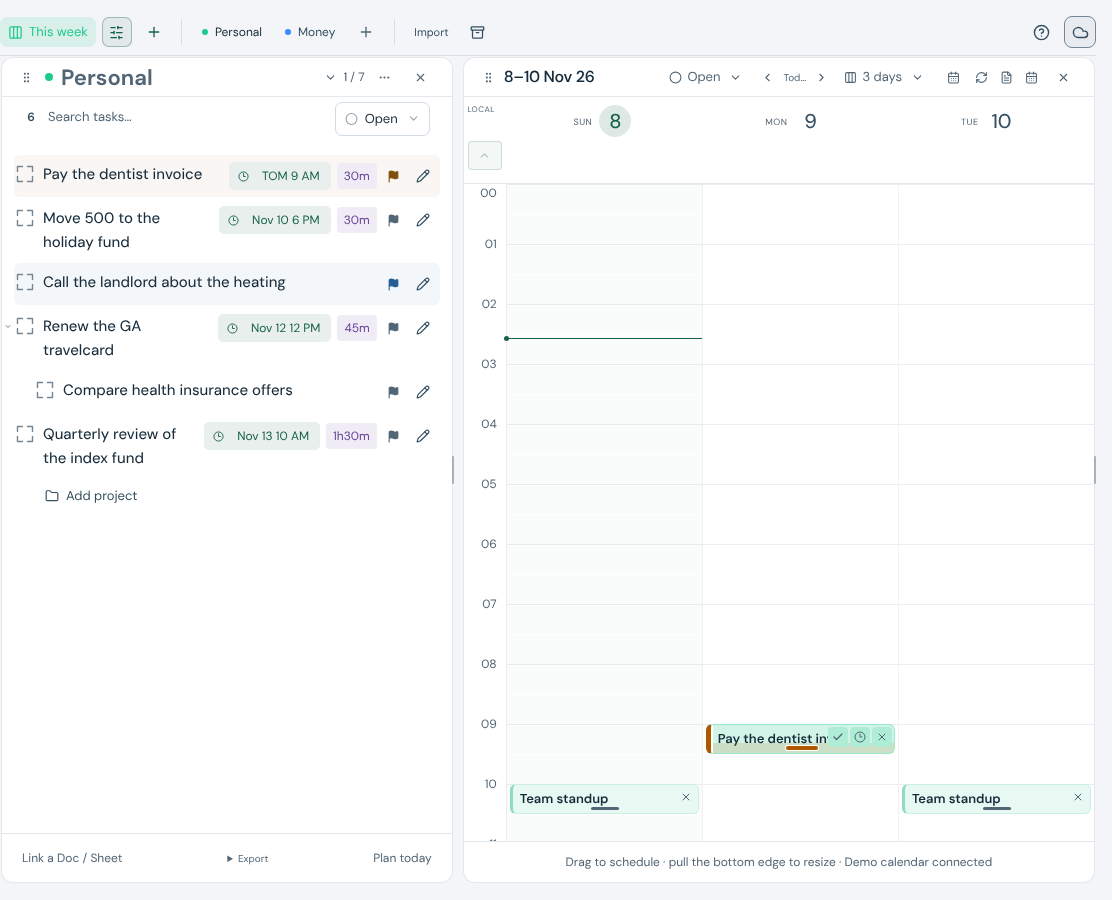
- Lists and boardsLists (documents), boards with panels, projects, subtasks, priorities, notes and repeats.
- Type the schedule
!tomorrow 9am 1h,!15 oct,!fri 14:00and repeat rules; the task lands on the calendar. - CalendarDay, three days, week or month; drag to schedule, pull the edge to resize. The demo comes with a connected demo calendar (Team standup, Lunch with Sam, Yoga), so its events sit beside the tasks.
- Google Calendar, Docs and SheetsTasks become events and events edited in Google update tasks; Docs and Sheets links are named automatically; export a list to Docs or Sheets. Optional and revocable.
- Connected to your moneyThe same search grammar; link tasks to accounts and transactions; attachments; locked, encrypted documents; undo history.
5 features
Sharing, privacy, settings
Share what you choose, hide what you want, and set it up the way you work.
- HouseholdInvite a partner; private and shared accounts and categories; view-only contributions.
- DemoPre-filled, local to your region, with a demo calendar and a sample statement to import; nothing leaves the browser. Accounts in three currencies, eighteen months of entries, recurring payments, budgets and a to do board, with shops, an employer, a transit pass and the currency of the United States, the United Kingdom, Belgium, Germany, Switzerland or the rest of Europe.
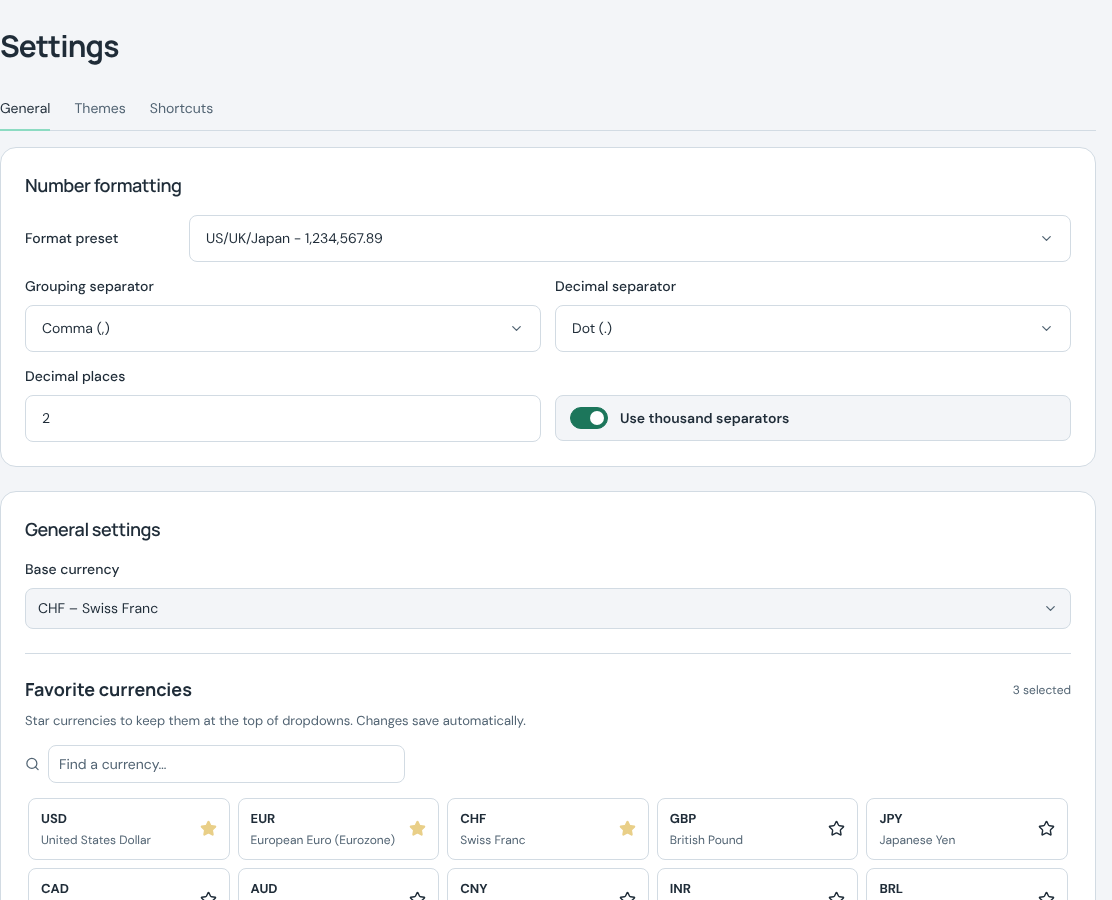
- LooksDark and light themes, four accent colours and card styles; a privacy eye hides every amount.
- Keyboard navigationShift+Q…V move between pages, shortcuts are configurable, Esc steps back from anything, and Ctrl+[ and Ctrl+] move the period.
- Sign-in and hostingSign in with Google; the hosted app runs on Supabase (Postgres) with row-level security.

See your own money flow.
The demo opens pre-filled, local to your region, with a connected demo calendar; no account, and nothing leaves your browser. Or open Tracked and sign in with Google.